
Features
Everything around the job, built in.
Files, conversations, numbers, emails and access: the parts that usually live in a shared drive, an inbox and a spreadsheet. Features marked Optional are switched on per account.
File management
Every file on the right job, in the right hands.
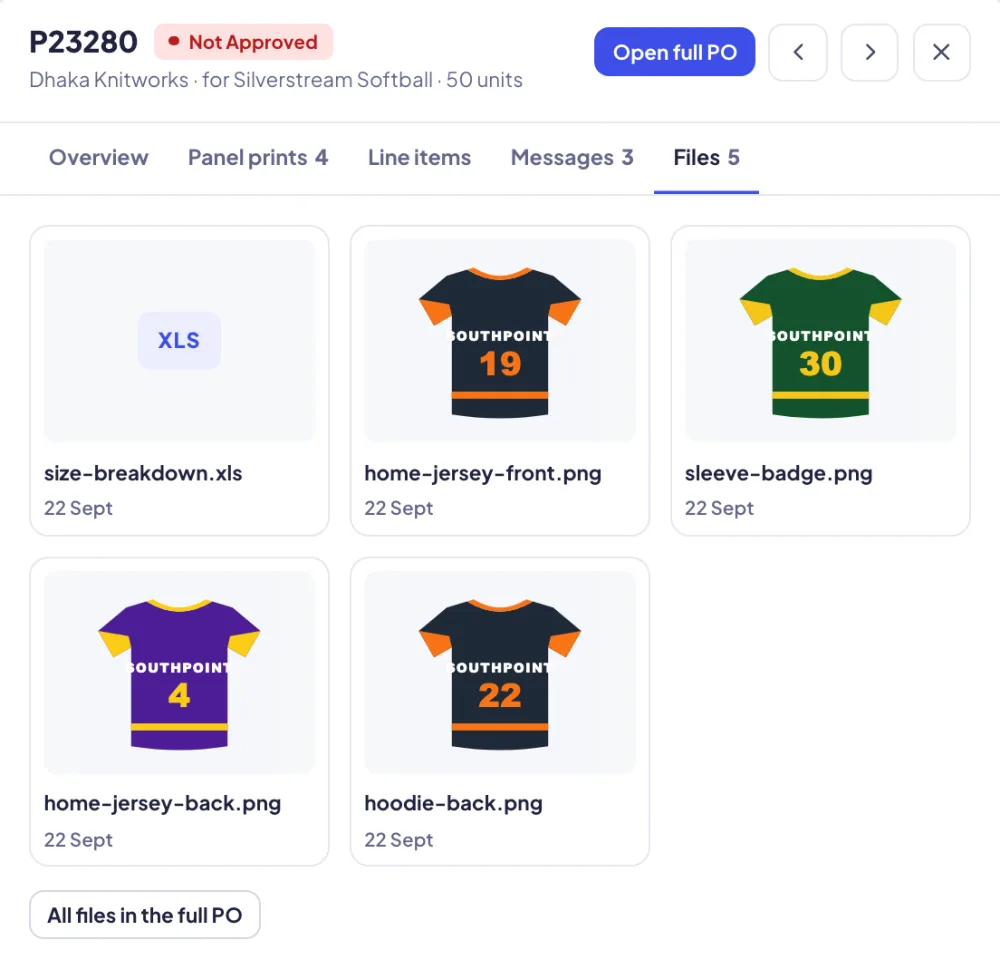
Artwork, proofs, size specs, pattern files, production photos and paperwork live on the record they belong to: the product, the visual, the order or the purchase order. When a job moves on, its files move with it.
- Upload images and files to any product, and choose the main image that shows everywhere
- Attachments on order and PO messages
- A PO carries each product's artwork, size chart and files to the factory
- Production photos, panel prints and finished-garment photos come back onto the PO
- A detailings library per customer: neck labels, neck tape, care labels and woven tabs
- PO PDFs in English and Chinese, artwork PDFs, and approval pages that download as one PDF
 Adobe Illustrator plugin
From the artboard to the product, in one click.
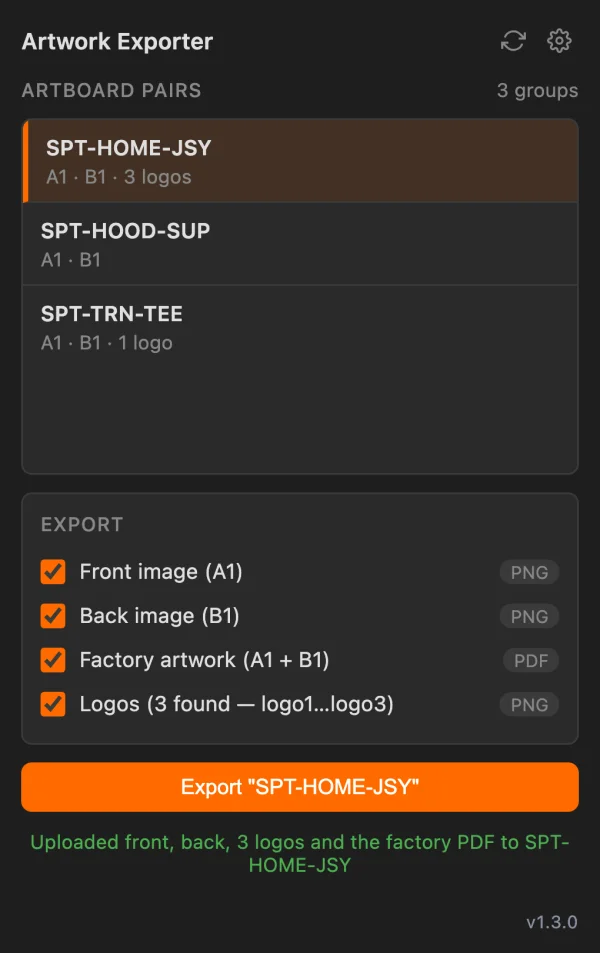
Designers never export, rename and upload by hand. The Flyte Artwork Exporter sits inside Illustrator, reads the document and files everything where it belongs.
- Name artboards by product code: CODE_A1 for the front, CODE_B1 for the back
- The panel matches each code to the right product in Flyte
- One click uploads the front, the back, the logos and a two-page factory PDF
- Mac and Windows installers; the panel tells you when there's a newer version
Messages & translation
Every conversation in one drawer.
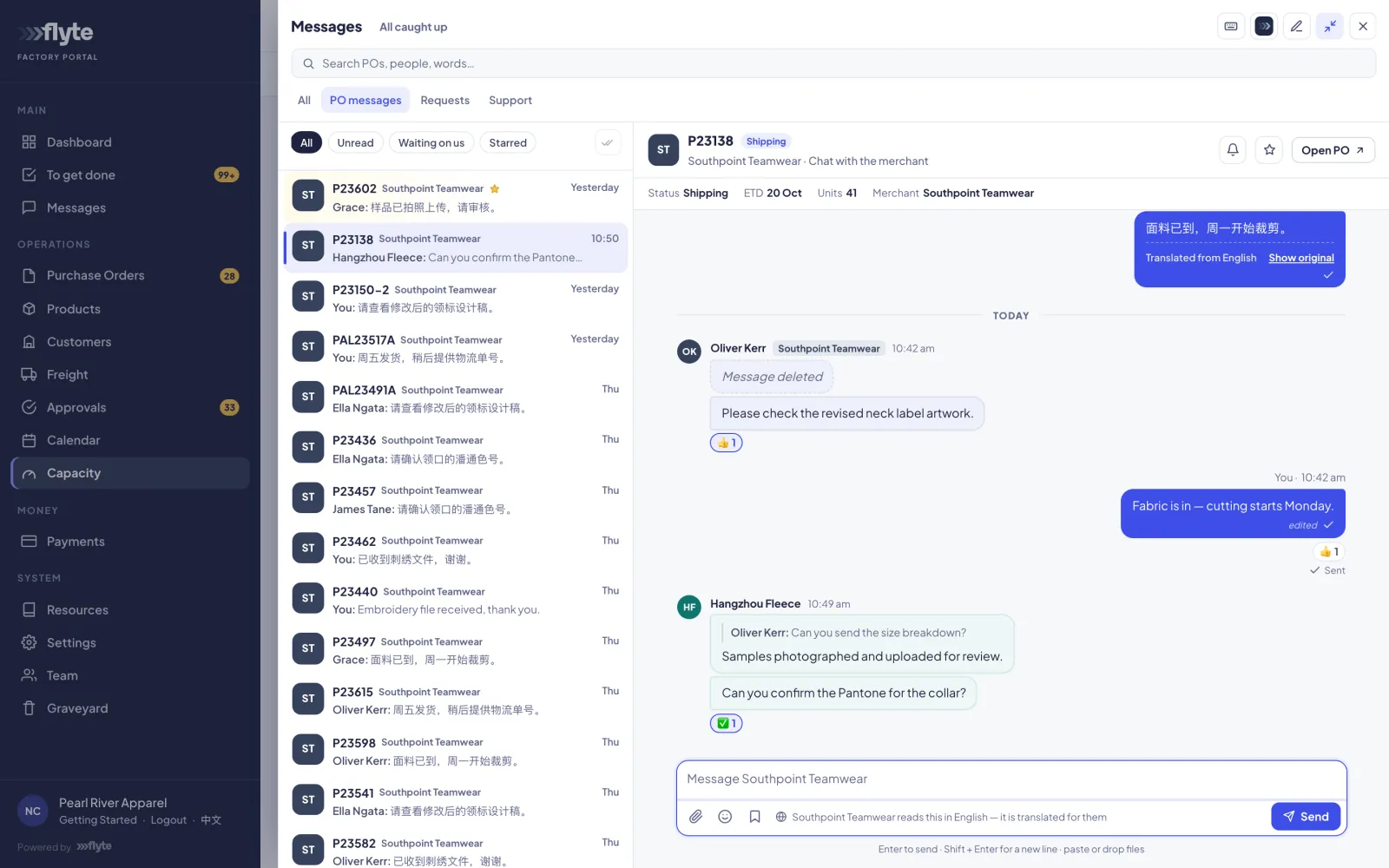
Orders and POs each carry their own conversation, beside team chat, support tickets and date requests to factories. Saved replies, attachments, stars and mute make it workable at volume.
- An order's conversation is with the customer; a PO's is with the factory
- Requests: ask a factory whether it can meet a date before you commit
- Chinese ↔ English translation on every PO message, both ways Optional
The Flyte assistant Optional
Ask Flyte how to do anything.
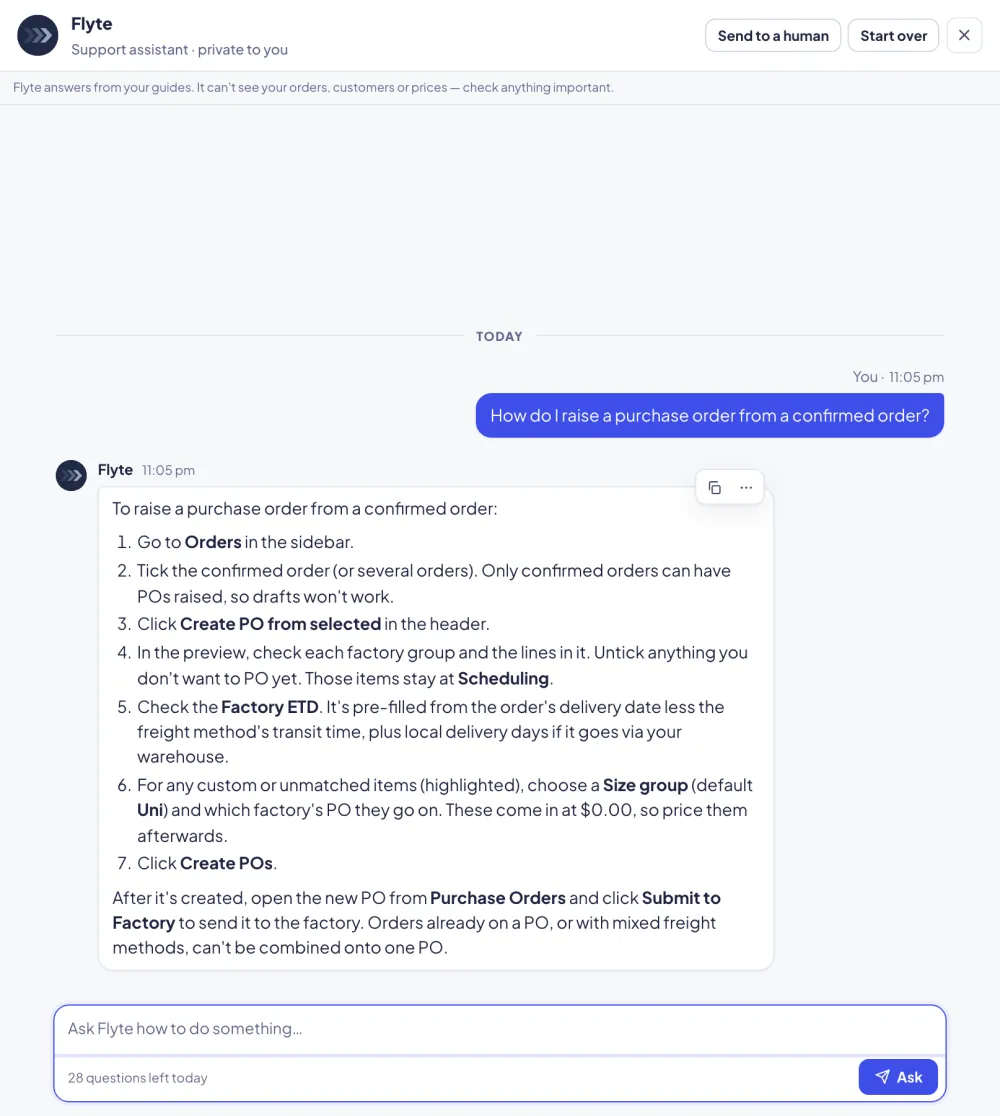
Inside the Messages drawer, your team asks the assistant how to do something and it answers step by step from your guides, with the exact buttons to press. It can also train new staff in short lessons: say "next" to move on.
- Private to each person
- Send to a human turns the conversation into a support ticket
- Where it's switched on, customers and factories can ask Flyte about their own portal too
Financials & reports
Margin you can trust.
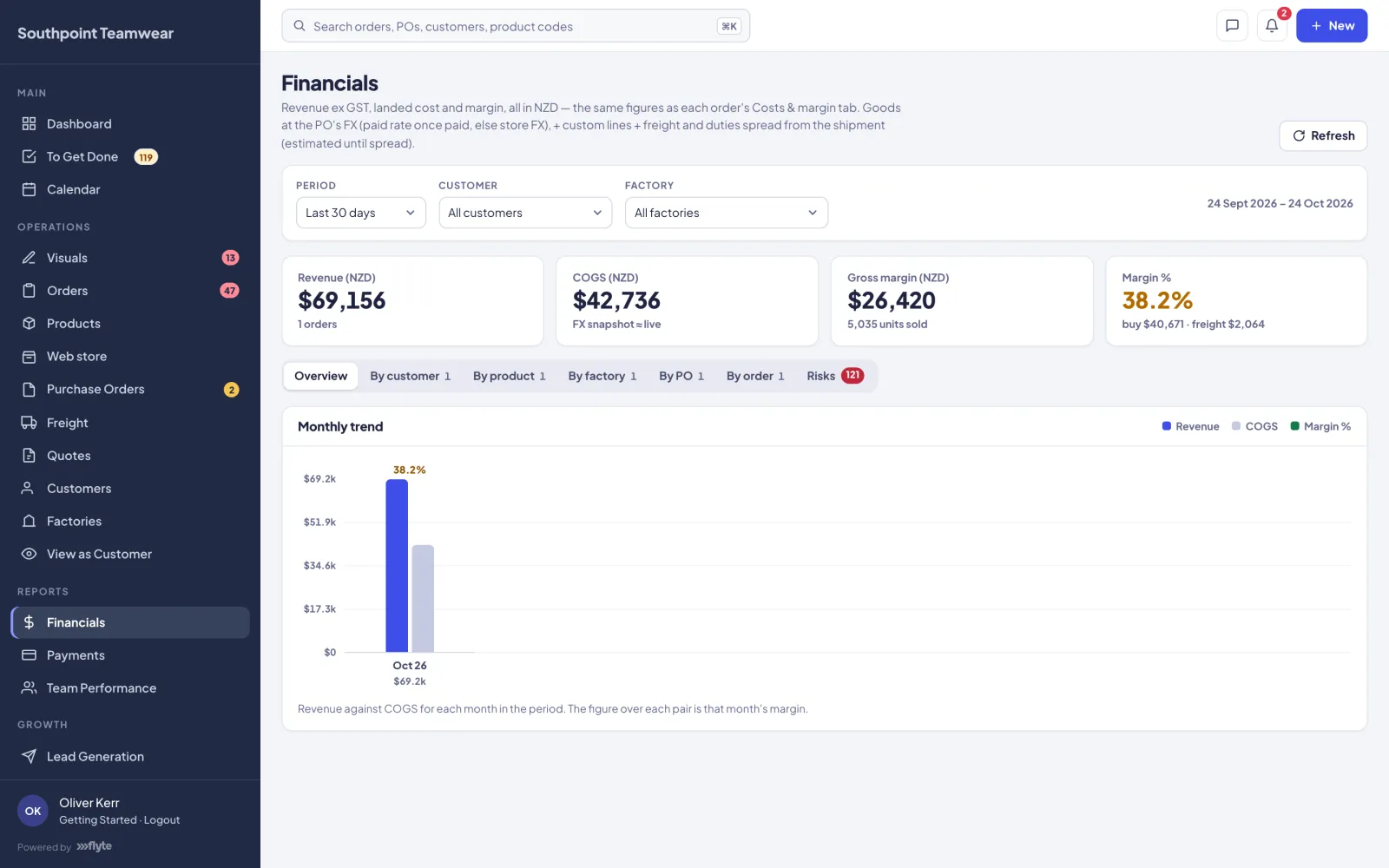
Revenue, cost of goods and margin by customer, product, factory, PO and order. Costs include freight and duty spread from shipments, at the rate you actually paid where a PO is paid. A Risks tab finds the orders and POs that need attention.
- Team Performance: turnaround, workload and reply speed, from dates Flyte already records
- Weekly production schedule: a spreadsheet of everything a customer has in production, sent to them each week
- Payments: deposits and balances to factories, with their real exchange rates
And the rest
The details that matter.
Quotes
Price a job for a customer or a new lead, send it online, and turn an accepted quote into a customer, products and an order.
Invoicing Optional
Invoice customers from their orders with GST, payment terms, deposits and credit notes, and take card payments from the invoice link.
Online store Optional
A public web store for your business, run from the same products and orders.
Pricing tiers & mark-ups
Quantity-break buy and sell prices, default and per-customer mark-ups, exchange rates, set prices and per-line discounts.
Sizes, MOQs & lead times
Size groups and size charts, minimum order quantities and lead times that feed straight into delivery dates.
Emails & reminders
Every email to customers, factories and your team, with editable wording, automatic follow-up reminders, and per-order switches.
Sections & powers
Each team member sees only the parts you give them. Financial figures are protected on the server, not just hidden.
Search everything
⌘K jumps to any order, PO, customer, product, visual or factory by its number, name or code.
The Graveyard
Deleted orders, products, POs, customers and factories are kept until you restore them or delete them permanently.
See it with your own jobs.
We'll show you how your work runs in Flyte, end to end.