
Order management for apparel merchants
Every job, from first sketch to the carton at the door.
Flyte keeps every enquiry, design, order, purchase order and shipment in one place, and gives each party in the job their own view of it. Your team runs the business, your customers order, approve and track, and your factories accept, make and ship. Nobody re-types anything.
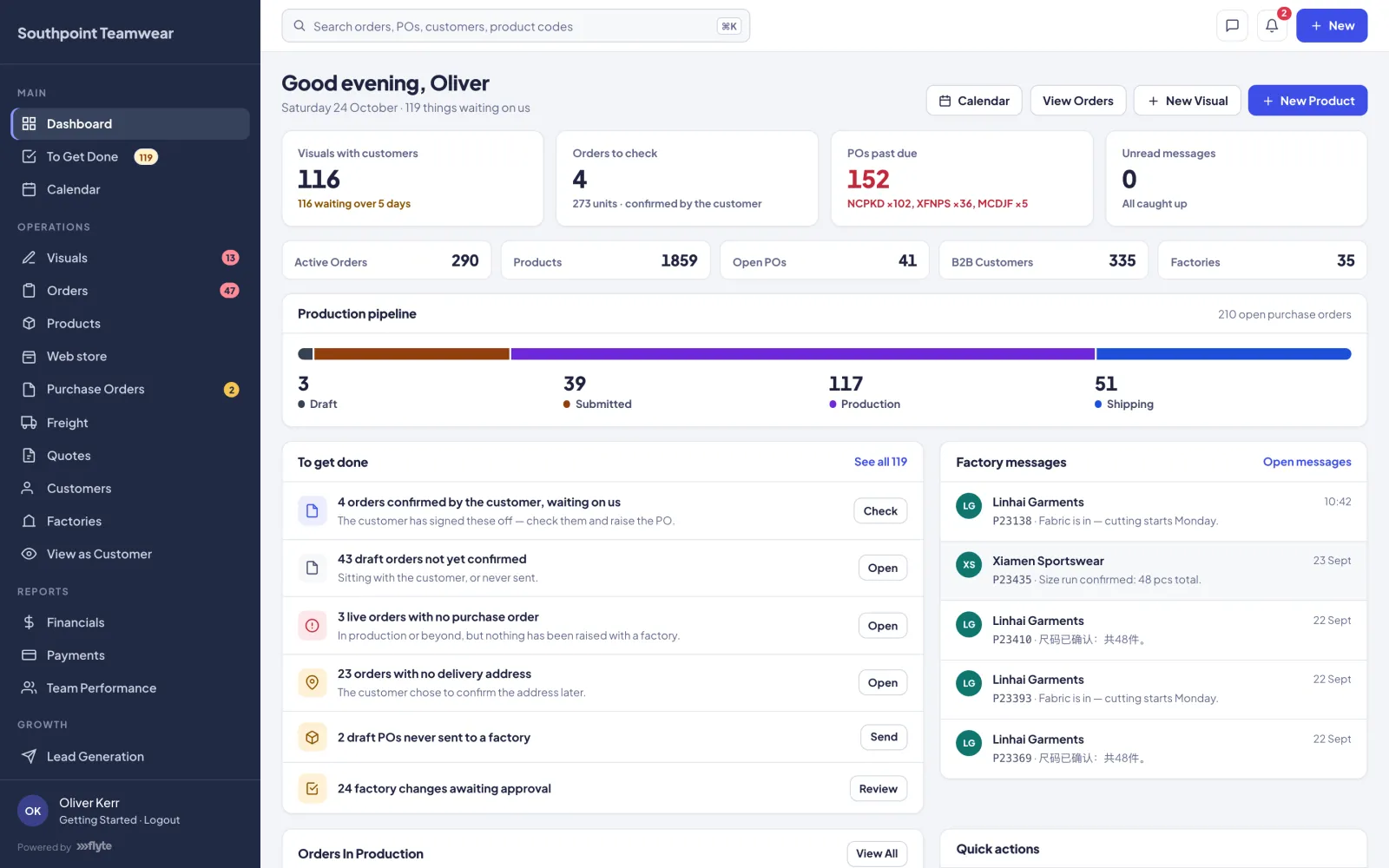
Team portal for you
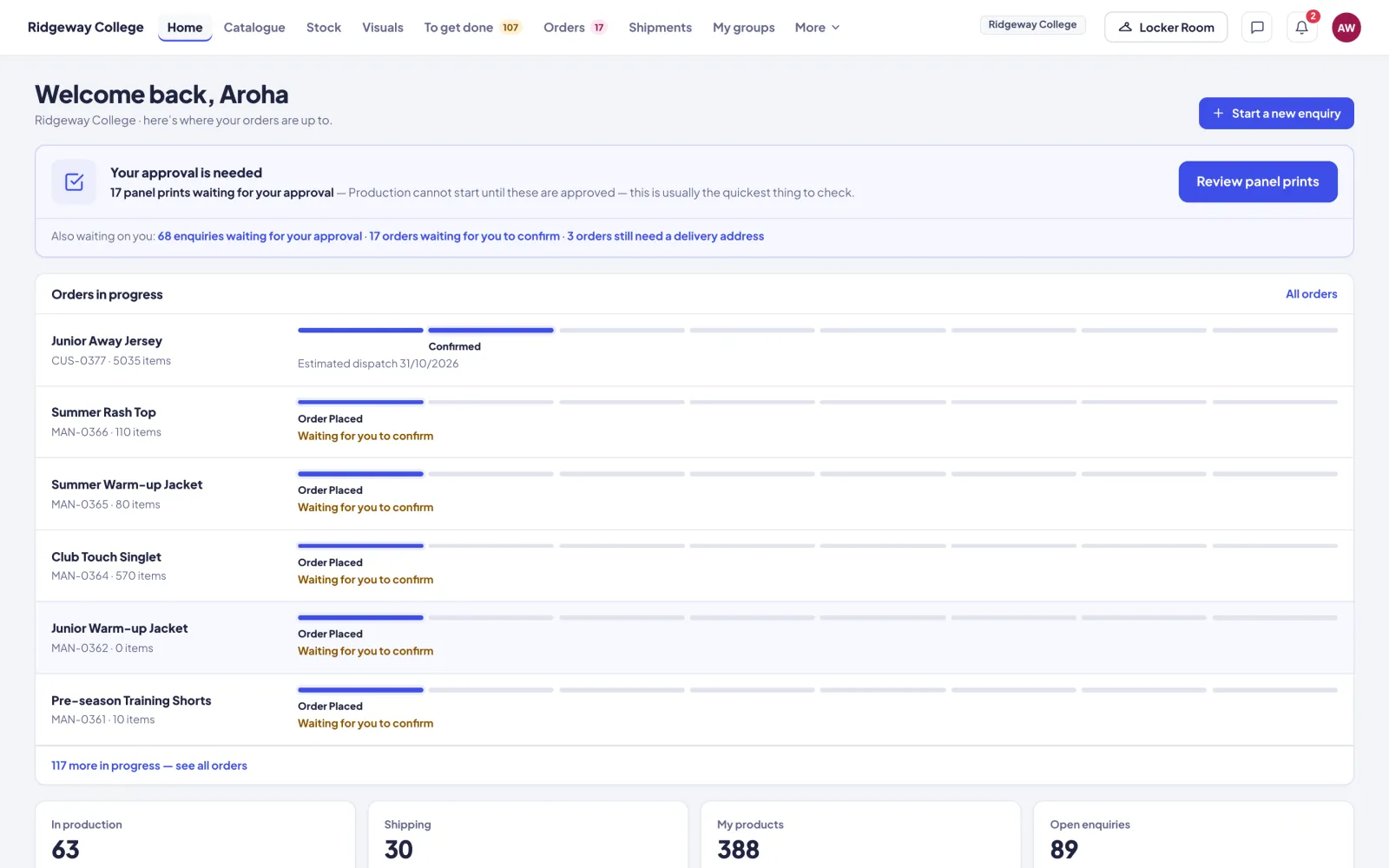
Customer portal your brand
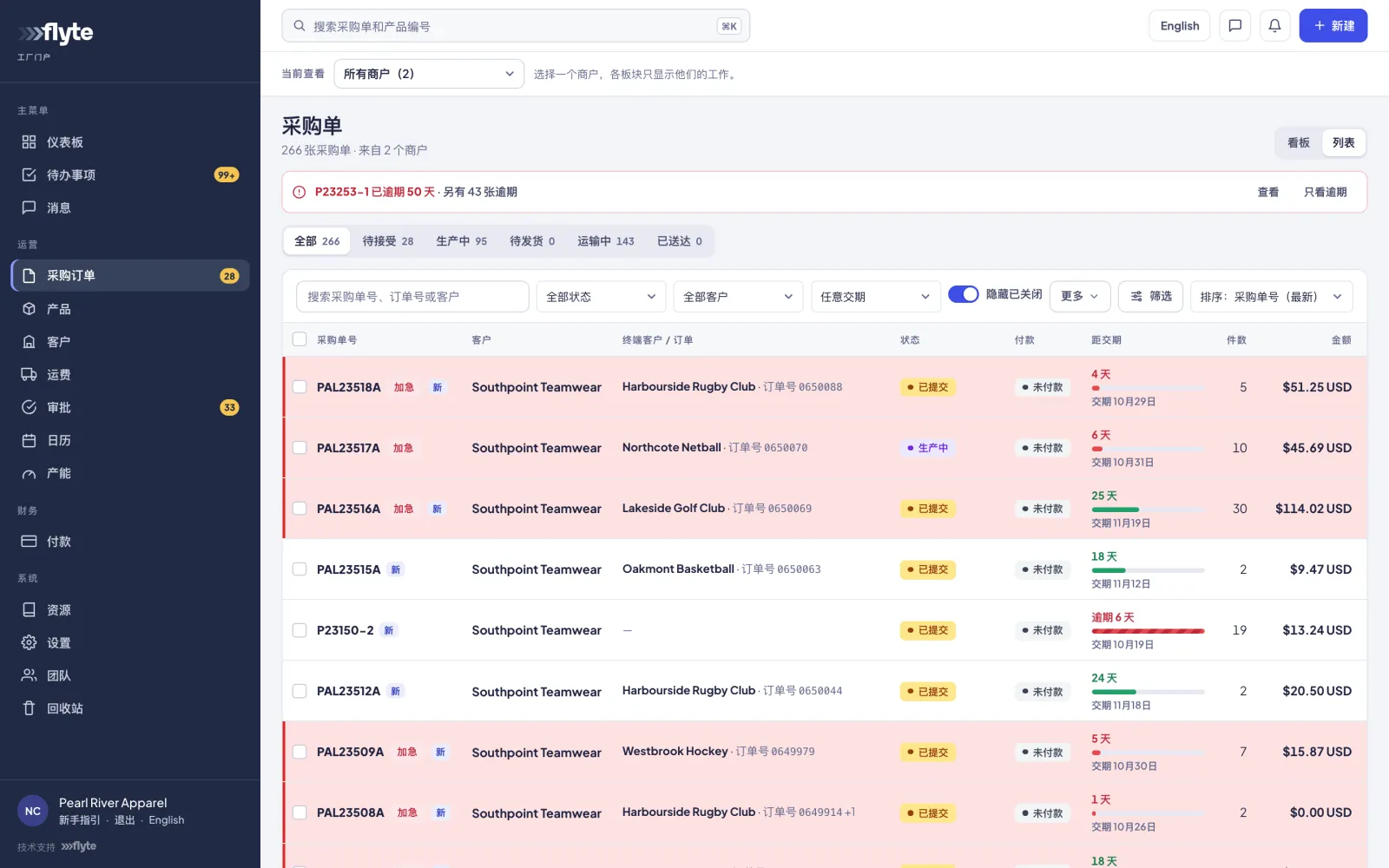
Factory portal English · 中文
Three parties, three portals
Almost every question comes down to who is being asked to do what.
There are three parties in a typical job, and each has a portal built for exactly their part of it. All three work from the same records, so a job is entered once.
You and your staff
Team portal
Where you run the business.
- Design visuals and send them for approval
- Build orders and raise purchase orders
- Manage customers, factories and products
- Freight, payments, financials and reports
Your customers
Customer portal
Under your name, logo and colours.
- Browse their own catalogue and your stock
- Start enquiries and approve artwork
- Confirm orders with their PO and dates
- Track every order and shipment
The factories that make your goods
Factory portal
In English or Chinese, at the flick of a switch.
- Accept purchase orders with a ship date
- Upload production photos for approval
- Propose changes, book shipments
- Request payment for shipped POs
Approval and confirmation pages arrive by email. Your customer can forward one to whoever actually signs off, such as the club or school they're ordering for.
How the portals connect
One job moves through all three.
Each step is handed to whoever owns it, and every portal updates the moment it moves. Statuses on your purchase orders flow through to your customer's order without anyone touching it.
- Enquiry becomes a visual jobCustomer
- Designs drawn up and sentYour team
- Approved per product, sizes enteredLink page
- Draft order confirmed with PO, freight and dateCustomer
- Purchase order raised per factoryYour team
- Accepted, made, photographedFactory
- Shipped, received, deliveredYour team
What each side can and can't see
Everyone works on the same job. Nobody sees what isn't theirs.
Customers
- See
- Sell prices, their own products, orders and shipments
- Never see
- Buy prices, factory names or your internal notes
Factories
- See
- Buy prices in their own currency, the POs you've submitted, and the products on them
- Never see
- Your sell prices, margins, customer records or other merchants' work
Your team
- See
- Everything
- Limited by
- The sections and powers each person is given in Settings → Team & access
Built for made-to-order apparel
The details your business actually runs on.
Visuals & approvals
Renders, logo placements and detailings per product. Customers decide product by product: approve and order, approve for later, or request changes.
Orders that confirm themselves
Approved designs become draft orders automatically, priced from your quantity breaks. The customer confirms with their PO number, freight, address and date.
Purchase orders by factory
Tick confirmed orders and Flyte raises one PO per factory, priced from buy costs. The factory gets it in their portal and by email, in English and Chinese.
Freight & landed cost
Build shipments across POs, record carrier and tracking, and spread freight and duty bills across the lines so margins reflect what goods really cost.
Files on the right job
Artwork, size specs, pattern files and production photos live on the product, order or PO they belong to. An Illustrator plugin files artwork for you.
Financials & team performance
Revenue, cost and margin by customer, product, factory, PO and order, plus turnaround times and workload across your team.
The factory side
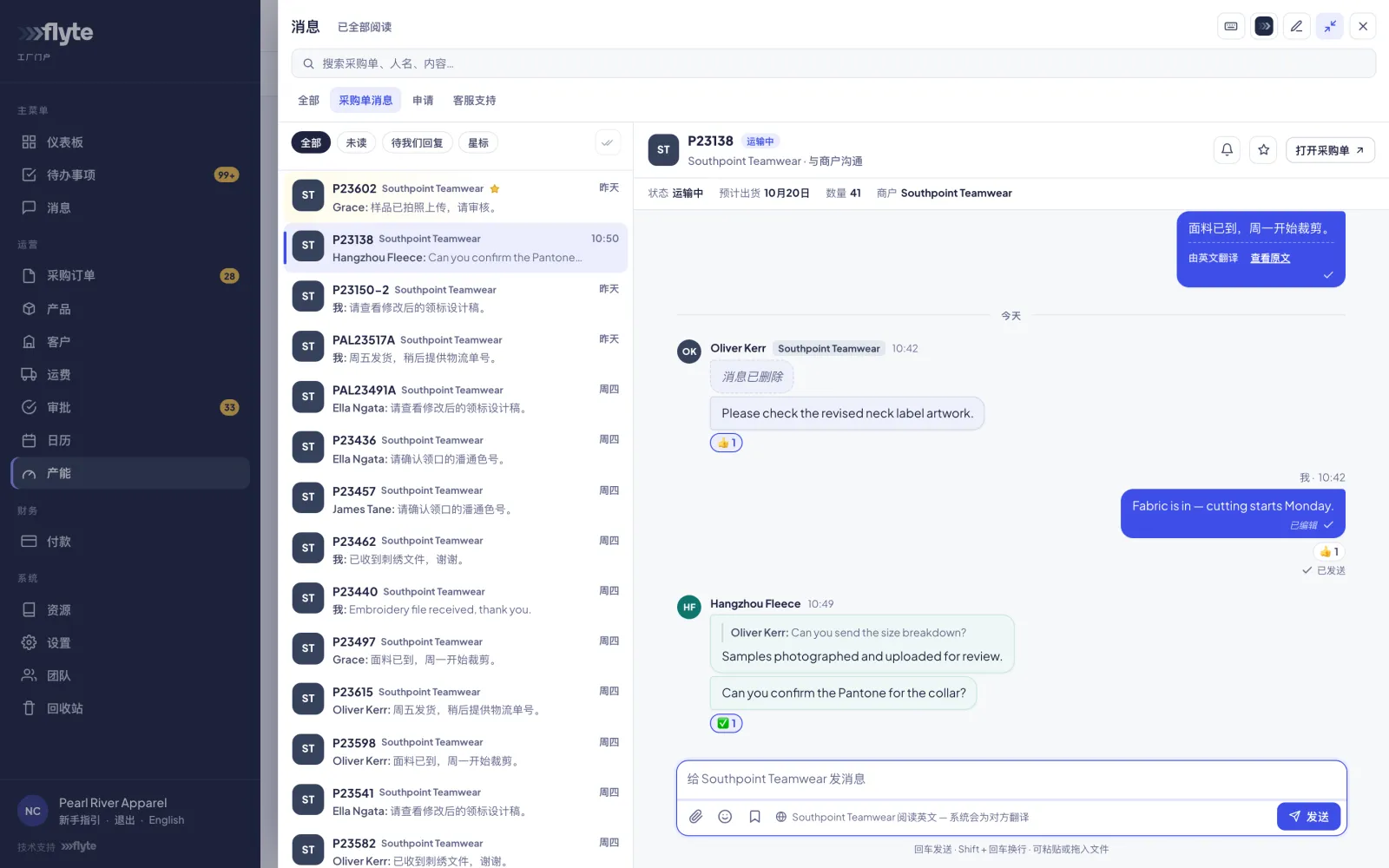
You write in English. They read it in Chinese.
The factory portal switches between English and Chinese, and where translation is switched on, every purchase-order message is translated in both directions as it's sent. A factory that makes for several merchants keeps one login and sees each merchant's work separately.
- Accept POs with an ETD, or request changes with a reason
- Price and lead-time proposals wait for your yes or no
- Capacity planning and closure dates on a shared calendar
Integrations
Connects to the tools you already use.
From your store and your payments to your design software and your suppliers' stock. Integrations are switched on per account, only where you need them.
 Shopify
 Airwallex
 Adobe Illustrator
 Garment Works
 AI tools (MCP)
 Supplier stock sync
 Message translation
Knowledge Base
Step-by-step guides for every screen.
Written for people who have never used Flyte: your staff on day one, your customers and your factories. Send anyone the link to the guide they need.
See Flyte with your own jobs in it.
Tell us how work moves through your business today, and we'll show you how it runs in Flyte.